Configuration
In this example, streaming telemetry with OcNOS is demonstrated, using 'gnmic' as the gNMI Client.
To install the gnmic tool for managing network devices using gNMI, refer to the gnmic Installation
Figure 8. Dial-In Streaming Telemetry Topology
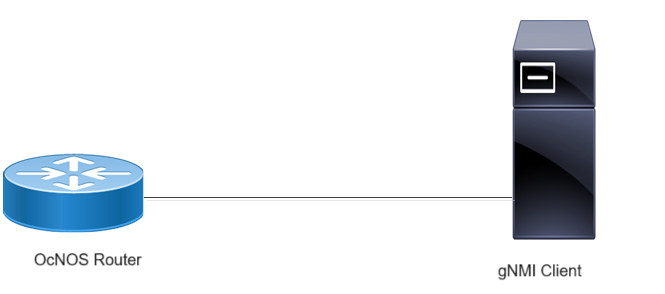
Before configuring Dial-In, meet all Prerequisites.
Enable streaming telemetry in a default VRF on OcNOS:
OcNOS#configure terminal
OcNOS(config)#feature streaming-telemetry
OcNOS(feature-telemetry-config)#commit
OcNOS(feature-telemetry-config)#exit
Telemetry Subscription Request via gnmic Command
The gnmic client is a command-line tool used to interact with the OcNOS gNMI Server for telemetry operations. It allows users to establish, manage, and test telemetry subscriptions directly from the command line or using a configuration file.
Telemetry subscriptions define how and what data the OcNOS device streams to the collector. The gnmic subscribe command is used to initiate a subscription request from the collector (client) to the OcNOS gNMI target (server).
Using this command, users can:
| • | Specify subscription type (STREAM, ONCE, or POLL) |
| • | Select stream mode (sample or on-change) |
| • | Configure encoding format (json, json_ietf, or proto) |
| • | Provide sensor paths for data collection (via YAML or command-line options) |
| • | Optionally define parameters such as sample intervals or heartbeat intervals |
The command can be executed in two ways:
| • | Using a YAML input file for multiple sensor paths |
| • | Using a single path option for direct subscription testing |
Telemetry Subscription Request via gnmic Command and YAML Input
Use this command to initiate multiple telemetry subscriptions at once, with all sensor paths and parameters defined in a YAML configuration file.
gnmic -a <ipaddress:port> -u <UserName> -p <Password> --insecure --config <path to config file> subscribe
Telemetry Subscription Request via gnmic Command with a Single Path Option
Use the below gnmic command with a single path option to request a telemetry subscription for a specific data path.
| • | Use this command to start a streaming telemetry session in SAMPLE mode, where data is sent at regular intervals based on the specified sample interval. |
gnmic -a <ipaddress:port> -u <UserName> -p <Password> --encoding [json, json_ietf] --insecure --mode STREAM --stream-mode sample --sample-interval sample-interval-value sub --path <path>| • | Use this command to perform a one-time (ONCE) or on-demand (POLL) telemetry query for the specified path. |
gnmic -a <ipaddress:port> -u <UserName> -p <Password> --encoding [json, json_ietf] --insecure --mode [POLL, ONCE] sub --path <path>| • | Use this command to start a SAMPLE mode streaming session using Protobuf encoding, referencing the IPI_OC.proto file for data structure definitions. |
| • | Use this command to initiate an on-change stream using Protobuf encoding, where telemetry updates are sent only when subscribed data values change. However, proto encoding does not support paths with complex or union key types. |
gnmic -a <ipaddress:port> -u <UserName> -p <Password> --encoding proto --insecure --mode STREAM --stream-mode sample --sample-interval sample-interval-value sub --path <path> --proto-file IPI_OC.proto

gnmic -a <ipaddress:port> -u <UserName> -p <Password> --encoding proto --insecure --mode STREAM --stream-mode on-change sub --path <path> --proto-file IPI_OC.proto
| • | Use this command to initiate an on-change stream using JSON or JSON-IETF encoding for real-time change-based telemetry updates. |
| • | Use this command to initiate an on-change stream with a configured heartbeat interval, ensuring periodic updates even when no data changes occur. |
gnmic -a  <ipaddress:port> -u <UserName> -p <Password> --encoding [json, json_ietf] --insecure --mode STREAM --stream-mode on-change sub --path <path>

gnmic -a  <ipaddress:port> -u <UserName> -p <Password> --encoding [json, json_ietf] --insecure --mode STREAM --stream-mode on-change --heartbeat-interval <value> sub --path <path>
Supported gnmic Options
The following table explains the supported fields and their usage.