DNS Configuration
Overview
The Domain Name System (DNS) is an Internet service that translates domain names into IP addresses. When a domain name is used, DNS service translates the name into the corresponding IP address. If one DNS server does not know how to translate a particular domain name, it gathers information from other Domain Name Systems to obtain the correct IP address.
In-band management over Default VRF
OcNOS supports syslog over the default and management VRFs via in-band management interface and OOB management interface, respectively.
By default, syslog runs on the management VRF.
Topology
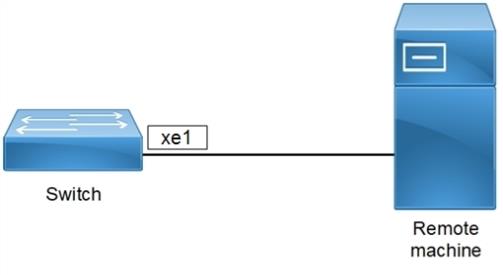
Figure 33. DNS sample topology
VRF Management Configuration-IPv4
|
#configure terminal |
Enter Configure mode. |
|
(config)#ip name-server vrf management 10.12.17.11 |
This add a IPv4 Name Server to the DNS. |
|
(config)#ip name-server vrf management 10.1.1.2 |
This add a IPv4 Name Server to the DNS. |
|
(config)#ip host vrf management BINGO 10.1.1.1 |
This will add IPv4 host to the DNS |
|
(config)#commit |
Commit the candidate configuration to the running configuration |
|
(config)#exit |
Exit configure mode. |
Validation
#show hosts vrf management
         VRF: default

 DNS lookup is disabled
 Default domain is empty
 DNS domain list is empty

 Name Servers        : 10.12.17.11 10.1.1.2
Host                                                              Address

----                                                              -------

BINGO                                                             10.1.1.1


 * - Values assigned by DHCP Client.
VRF Management Configuration-IPv6
|
#configure terminal |
Enter Configure mode. |
|
(config)#ip name-server vrf management 3001::1 |
This add a IPv6 Name Server to the DNS. |
|
(config)#ip host vrf management bingo 5001::1 |
This will add IPv6 host to the DNS |
|
(config)#commit |
Commit the Candidate configuration to the running configuration |
|
(config)#exit |
Exit configure mode. |
Validation
OcNOS#show hosts vrf management
       VRF: management

DNS lookup is enabled
 Default domain is empty
 DNS domain list is empty

 Name Servers        : 3001::1
Host                                                              Address
----                                                              -------
bingo                                                             5001::1

 * - Values assigned by DHCP Client.
OcNOS#
User Defined VRF Configuration-IPv4
|
#configure terminal |
Enter Configure mode. |
|
(config)#ip vrf vrf1 |
Configuring user defined vrf in global. |
|
(config)#commit |
Commit the candidate configuration to the running configuration |
|
#configure terminal |
Enter Configure mode. |
|
(config)#ip domain-lookup vrf vrf1 |
This command is to enable DNS for user-defined vrf. |
|
(config)#ip name-server vrf vrf1 10.12.17.11 |
This add a IPv4 Name Server to the DNS |
|
(config)#ip name-server vrf vrf1 10.1.1.2 |
This add a IPv4 Name Server to the DNS |
|
(config)#ip host vrf vrf1 BINGO 10.1.1.1 |
This will add IPv4 host to the DNS |
|
(config)#commit |
Commit the candidate configuration to the running configuration |
|
(config)#exit |
Exit configure mode. |
Validation
#show hosts vrf vrf1
VRF: vrf1
DNS lookup is enabled
 Default domain is empty
 DNS domain list is empty
Name Servers    : 10.12.17.11 10.1.1.2
Host    Address
BINGO    10.1.1.1
* - Values assigned by DHCP Client.
User Defined Configuration-IPv6
|
#configure terminal |
Enter Configure mode. |
|
(config)#ip name-server vrf vrf1 3001::1 |
This add a IPv6 Name Server to the DNS. |
|
(config)#ip host vrf vrf1 bingo 5001::1 |
This will add IPv6 host to the DNS |
|
(config)#commit |
Commit the Candidate configuration to the running configuration |
|
(config)#exit |
Exit configure mode. |
Validation
OcNOS#show hosts vrf vrf1
VRF: vrf1

    DNS lookup is disabled
         Default domain is empty
         DNS domain list is empty

Name Servers    : 3001::1
Host        Address
----        -------
bingo        5001::1
* - Values assigned by DHCP Client.