Overview
This document describes the YANG data models supported by OcNOS, including the command reference and XML snippets, and provides information on where to find all the documents and YANG files.
Get the Data Models
The datamodels can be retrieved from the following locations:
| • | Github |
| • | OcNOS installed devices |
Data Model Location in GitHub
Users can access the YANG data models on GitHub through the following link: GitHub - IPInfusion/OcNOS: OcNOS™ Network Operating System.
This link directs to the 'master' branch, which we do not update. To access specific YANG models based on OcNOS release version, follow these steps:
| • | Click on ‘master’. |
| • | From the dropdown menu, enter a search string, such as "5.1," "6.0.0," or "6.3.0," corresponding to the OcNOS release version for which the YANG models are needed. |
| • | Select the desired version from the dropdown and click to switch the branch. |
Before proceeding, refer to the snapshot below to understand how to choose the branch version:
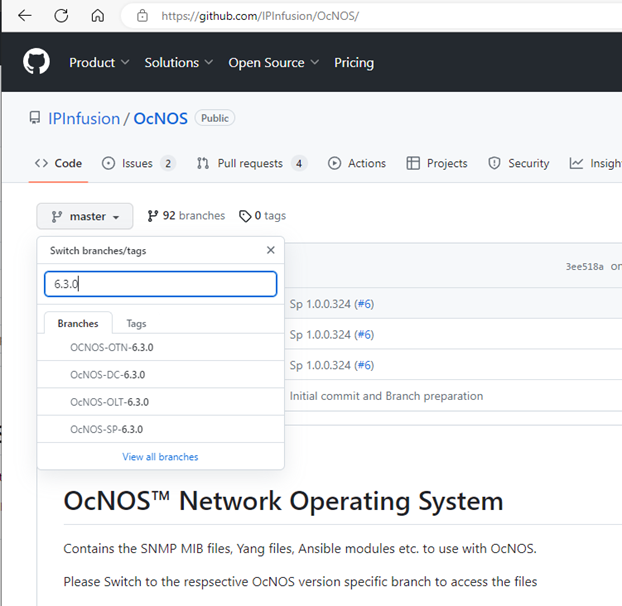
Yang Data models
The Yang models are available inside the “yang-files” folder. OcNOS supports two types of Datamodels:
| 1. | IPI Datamodels |
| 2. | OpenConfig datamodels |
Here is a snapshot for reference:
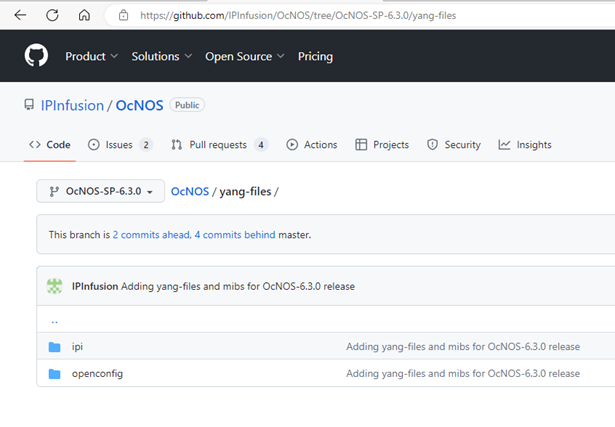
IPI Datamodels
OcNOS supports the IPI Datamodels, which are considered the 'native' datamodels. These models are used to represent all configurations and operational attributes of OcNOS. The IPI Datamodels adhere to OpenConfig style guidelines, ensuring a clear separation of 'config' and 'state' attributes. The user can find these datamodels inside the "yang-files/ipi" folder on GitHub. Here is a snapshot for reference:
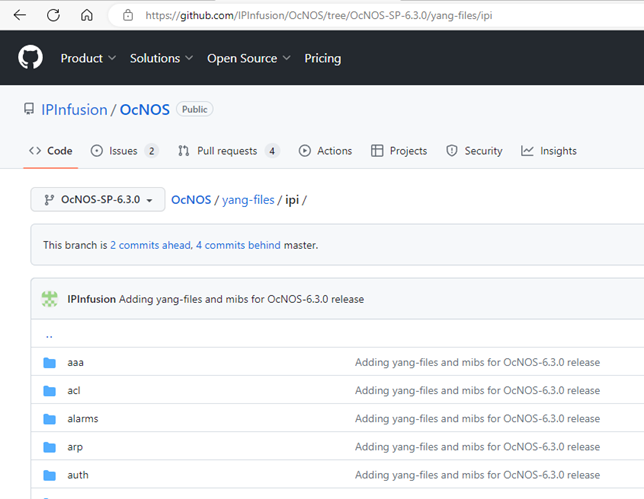
IPI Pyang Tree
To access the Pyang Trees, follow these steps:
| 1. | Scroll down to the bottom of the page and click on “pyang.html”. |
| 2. | On the Pyang page, right-click on 'view raw' and choose 'Save link as...' Do not select ‘Download’. |
Refer to the snapshot below:
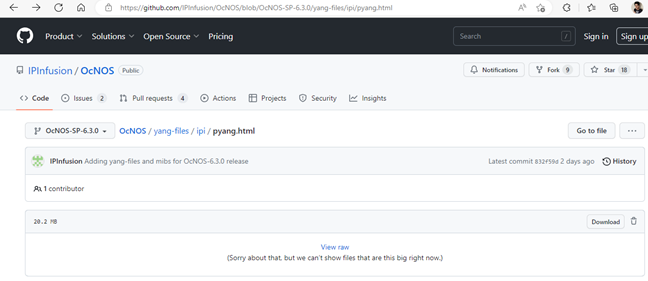
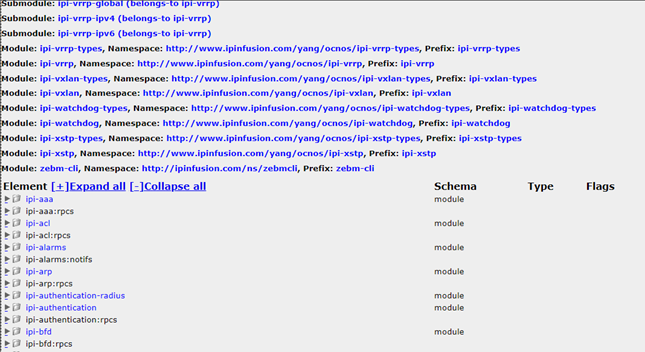
| 3. | After saving the Pyang HTML page, the user can access the Pyang tree. Once the page is open, scroll down to find the individual datamodel pyang trees. Refer to the snapshot below: |
OpenConfig Datamodels
OcNOS supports both native IPI models and OpenConfig standard-defined data models. However, not all OpenConfig attributes are supported. Some additional attributes are added in OpenConfig for operational purposes, and these are defined in the IPI OpenConfig deviation yang files.
To use OpenConfig datamodels, users must combine IPI deviation files with OpenConfig yang files. Here's how to do it:
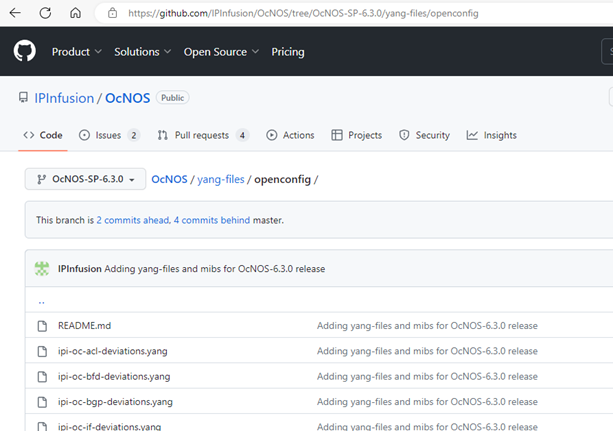
| • | Obtain the deviation files from the "yang-files/openconfig" folder on the IPInfusion GitHub. |
| • | In this folder, a README file contains the OpenConfig SHA1 or version to be used. |
| • | Retrieve the Yang files from the OpenConfig GitHub repository for the version specified in the IPInfusion README. |
git clone git@github.com:openconfig/public.git openconfig/
git checkout <SHA1 or version from README>
cd openconfig/release/models
| • | After performing the git checkout, find the yang files in the "openconfig/release/models" folder. |
| • | If a version is provided (starting in OcNOS 6.4.0), users can directly download the files using the version tag from the GitHub page. |
| • | Not all attributes of the OpenConfig datamodels are supported, and there are some variations in the ones that are supported. Detailed information is tabulated in the 'yang deviation' files located within the "yang-files/openconfig" folder. |
OpenConfig Pyang Tree
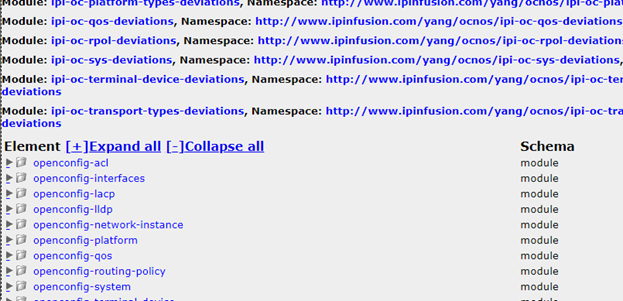
| • | The Pyang Tree for OpenConfig can also be found on GitHub under "yang-files/openconfig/openconfig.html”. |
| • | To download the HTML file and open it, follow the same instructions provided in section IPI Pyang Tree. |
| • | This provides a consolidated view of OpenConfig support in OcNOS, including only the attributes that are supported, by incorporating the yang deviations. Refer to the snapshot below for guidance. |
Data Model Location in the Device
After the installation of OcNOS, all Yang models are loaded onto the device and can be found in the following location:
OcNOS#start-shell
bash-5.0$ cd /usr/share/yuma/modules
bash-5.0$ ls
ipi  netconfcentral  openconfig  yang
bash-5.0$ find . | sed -e "s/[^-][^\/]*\// |/g" -e "s/|\([^ ]\)/|-\1/"
.
 |-ipi
 tfo
 ipi-tfo.yang
 ipi-tfo-types.yang
 network-instance
 ipi-network-instance.yang
 ipi-network-instance-types.yang
 common
.....
Use the "find" command to explore the available models further.